PassiveWP logo
Block Theme Designer For PassiveWP Blocks

Keep Your PassiveWP Blocks On Brand.

Style your PassiveWP blocks for roundups, reviews, and comparisons with one on-brand system. Start from presets, build your own, or let AI generate complete on-brand styles in minutes.

AI style generation and style matching built inConversion-focused visual system for PassiveWP blocksPresets plus full manual styling controlConsistent styling across money pages and blocks
PassiveWP Block Designer
PassiveWP Blocks Only
Design Layers
Borders & shadowsBadges & buttonsTypographySpacing rhythm
Brand Palette
Block Preview
Top PickComparison Block
Primary Action Style
Pick a preset style, build your own, or let AI generate it, then apply it across every PassiveWP block.

Block-level consistency raises trust and click-through

Use one conversion-focused style system so your PassiveWP blocks look intentional, credible, and ready to convert.

  • Make key blocks look trustworthy before the first CTA
  • Keep your top-converting block layouts consistent as you scale
  • Reduce design rework when shipping new roundups
  • Ship faster without sacrificing a premium feel
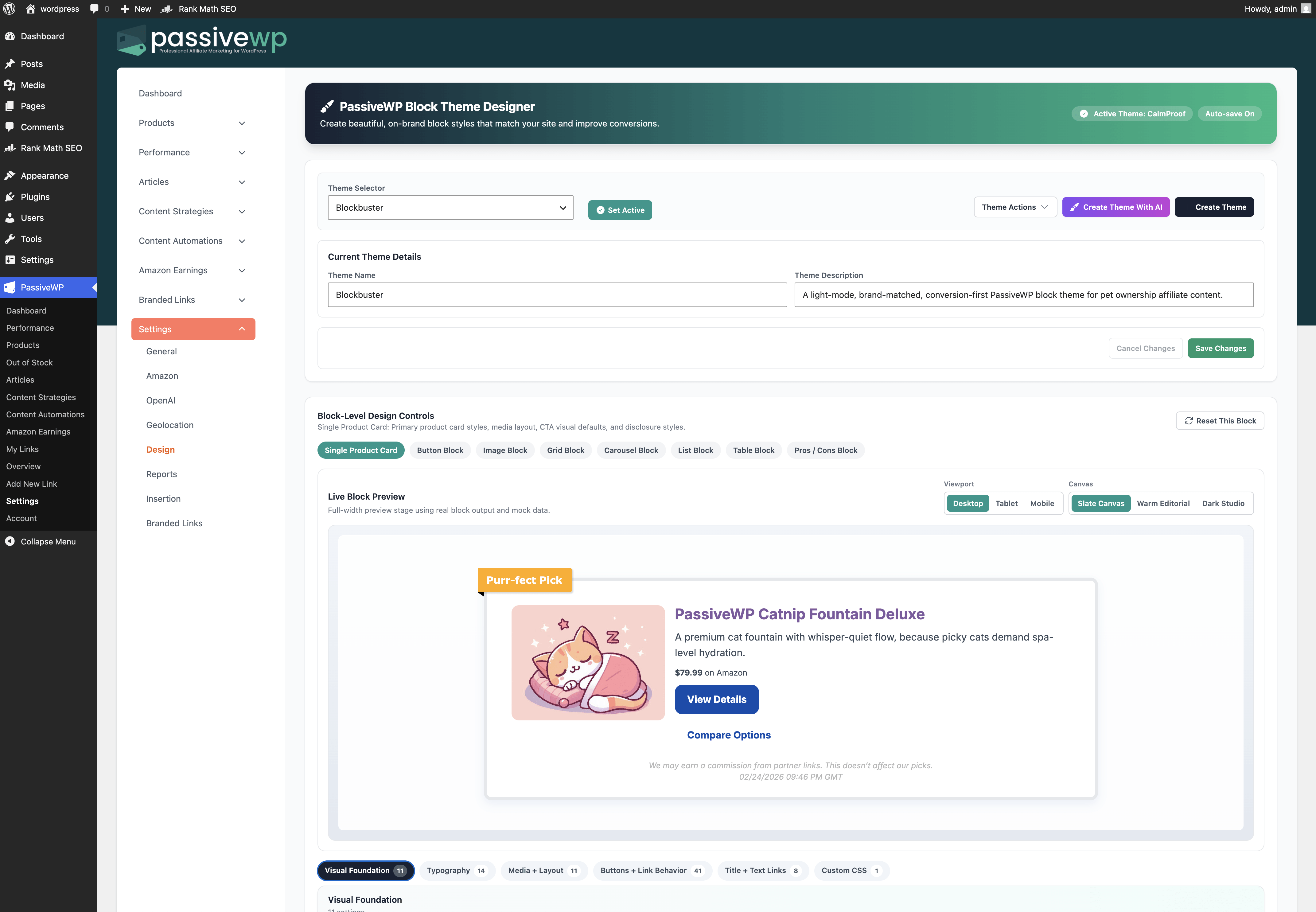
Full style control panel for PassiveWP blocks
PassiveWP block designer full workspace

Control every visual lever that affects conversion

Borders, shadows, and backgrounds

Set visual depth and container treatment once at the system level, not one block at a time.

Badges, typography, and buttons

Standardize hierarchy, badges, and CTA buttons so your PassiveWP blocks feel intentionally designed.

Spacing and layout rhythm

Keep layout rhythm consistent so your PassiveWP block layouts feel premium and easy to trust.
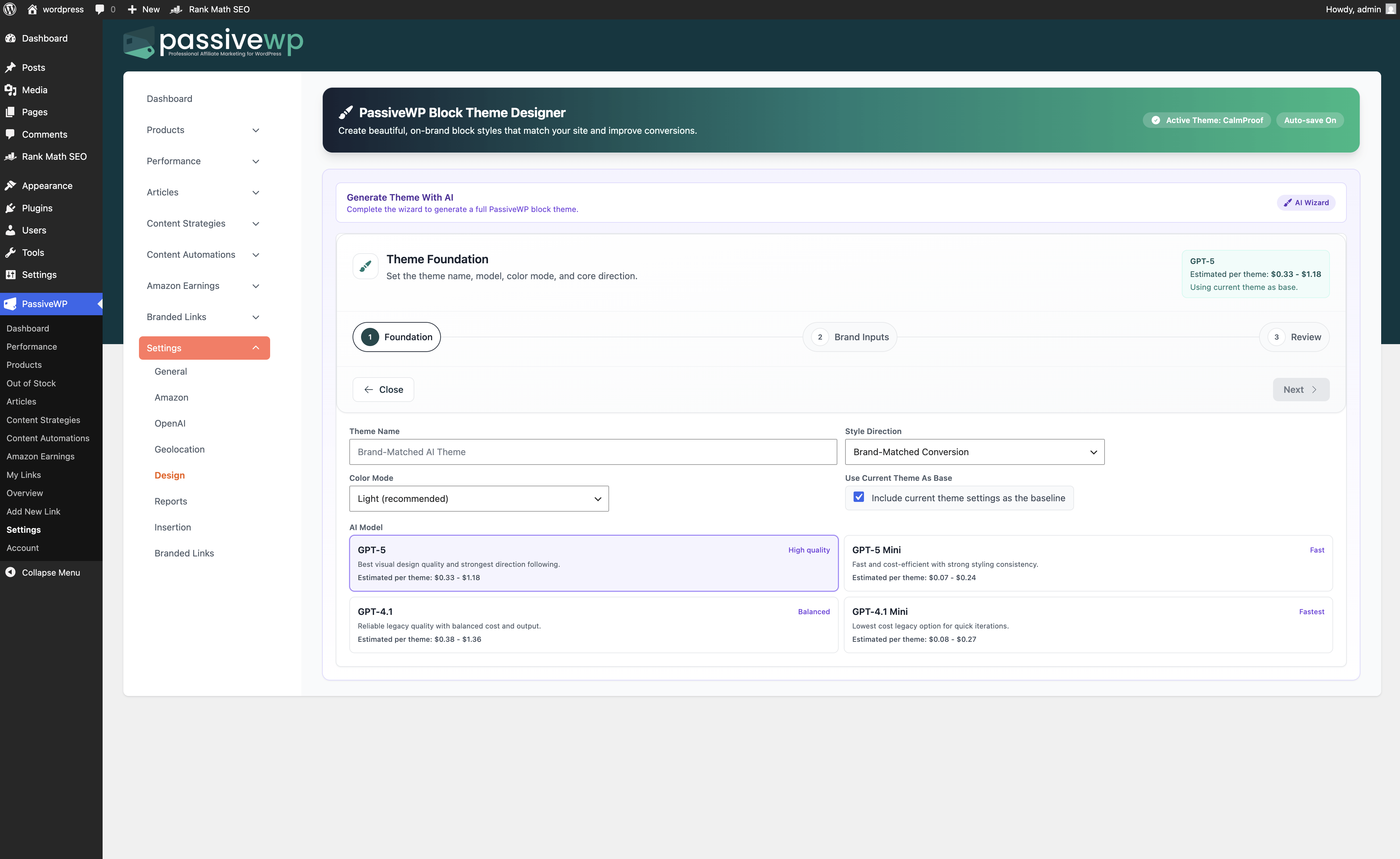
AI Block Style Generator
AI-generated PassiveWP block style output
AI Block Style Generation

Generate your on-brand block style system in minutes

AI generates production-ready styles for your PassiveWP blocks so you can spend time on revenue decisions instead of manual design setup.

  • Generate a complete block style set from a short prompt
  • Reference another style direction to speed up creative direction
  • Start from presets, then personalize your conversion blocks

Preview and refine your style before you publish

Keep styling decisions visible in one place, tighten the details quickly, and roll updates across PassiveWP blocks with less friction.
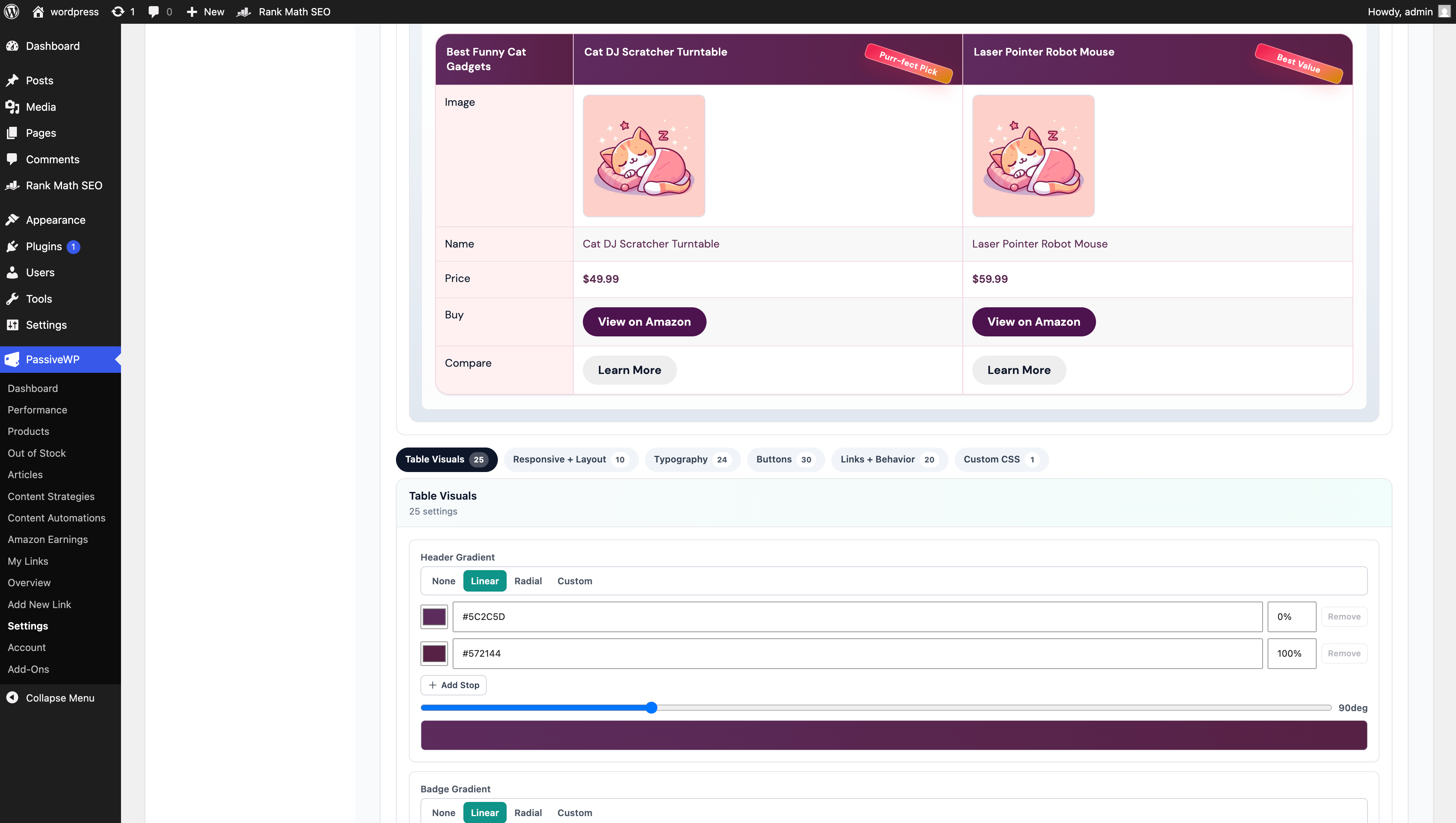
  • Review product cards, comparisons, and badges in one place
  • Fine-tune CTA styling without editing each block manually
  • Roll out visual updates across PassiveWP blocks used in money pages
Live block styling controls preview
PassiveWP block style controls preview

Consistent block styling that helps more visitors click

When your PassiveWP blocks look and feel consistent, readers trust recommendations faster and move to action with less friction.

Pick a preset, build your own style, or generate one with AI
Apply your styling across PassiveWP blocks in every money page type
Keep badges, buttons, product cards, and spacing consistent as you scale
See Product Displays
AreaWithout DesignerWith Designer
First impression
Blocks feel mixed and inconsistent
Blocks look cohesive and instantly more trustworthy
Reader flow
Visual hierarchy is uneven across pages
Recommendations, comparisons, and CTAs are easier to scan
Publishing speed
You keep fixing styling while writing
Style decisions are already set before you publish
Scale quality
New pages drift off brand over time
New pages inherit the same on-brand block styling

Set your PassiveWP block styling once. Publish faster with less rework.

The more affiliate pages you publish, the more block-level consistency matters. This keeps trust high and production fast without changing your main WordPress theme.